Features
This solution is a single large workflow that automatically responds to customer emails and updates Salesforce by creating new cases, updating existing ones, and adding info to a tracking system for management. Due to the size, I've broken it down into four separate parts.
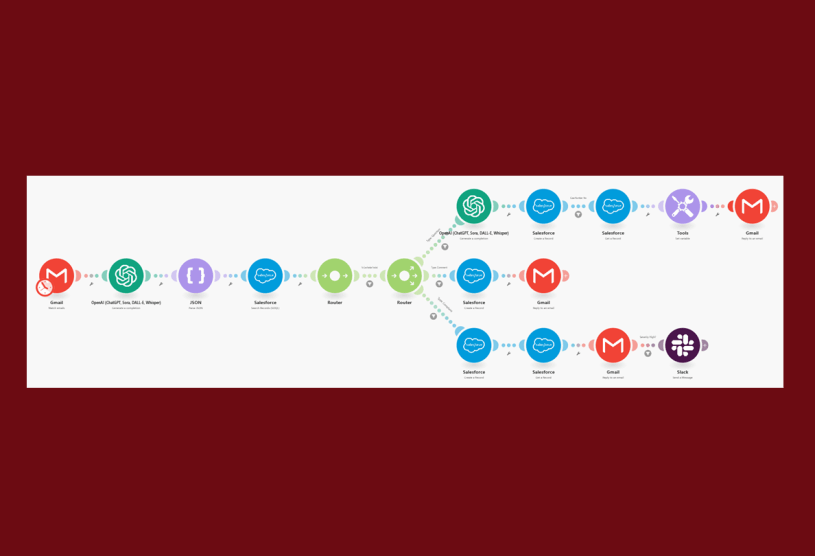
Branch: No Case# Included
Comment: Customer receives an immediate thank‑you reply. The comment is logged in the Salesforce Comment Tracker.
Question: Customer gets an instant reply. If documentation answers the question, it’s included. If not, the reply notes follow‑up is coming and a new Case is created in Salesforce. In both cases, the question and automated response are logged in the Questions Tracker.
Complaint: Customer receives an empathetic reply confirming follow‑up and a new Case is created in Salesforce. The complaint is logged in the Complaints Tracker and, if the severity is high, a Slack escalation is triggered as well.
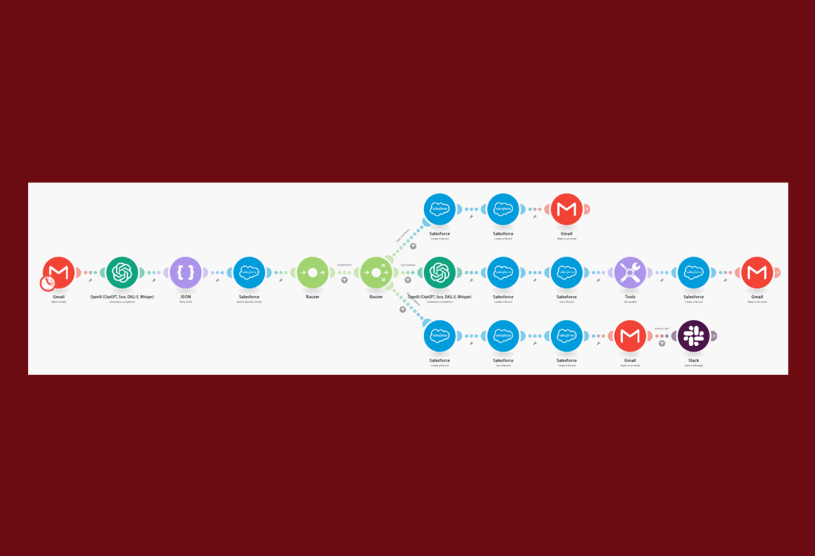
Branch: Case# Matched in Salesforce
Comment: Customer receives an immediate thank‑you reply. The comment is added to the open Case and logged in the Comment Tracker.
Question: Customer gets an instant reply. If documentation provides the answer, it’s included; otherwise the reply notes follow‑up is coming. In both cases, the question and response are added to the Case and logged in the Questions Tracker.
Complaint: Customer receives an empathetic reply confirming follow‑up and the complaint is added to the Case. The complaint is logged in the Complaints Tracker and, if the severity is high, a Slack escalation is triggered as well.
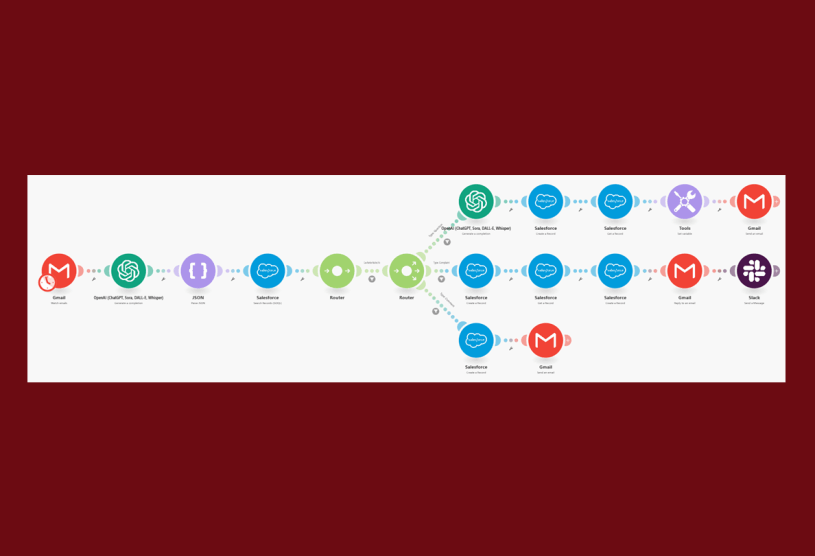
Branch: Case# not found in Salesforce
Comment: Customer receives an immediate thank‑you reply. The comment is logged in the Salesforce Comment Tracker.
Question: Customer gets an instant reply. If documentation provides the answer, it’s included; otherwise the reply notes follow‑up is coming. In both cases, a new Case is created in Salesforce, and the question plus response are logged in the Questions Tracker.
Complaint: Customer receives an empathetic reply confirming follow‑up and a new Case is created in Salesforce. The complaint is logged in the Complaints Tracker and, if the severity is high, a Slack escalation is triggered as well.
